
How to Take Great Business Photos Using Your Phone
By Chelsea Light | Founder, Maisona | 3 min read
Most businesses default to stock imagery because it feels safer than trying to take their own photos. The problem is that stock images say nothing specific about your business, your team, or your work. For businesses in construction, industrial, and trade sectors, authentic project photography is one of the most credible signals you can put in front of a procurement manager or potential client.
You do not need a professional photographer or an expensive camera to change this. A modern smartphone, used consistently and with a few basic principles in place, will produce images that are genuinely representative of your work.
Related Reading:
5 Rules Your Team Can Follow On-site from Today:
1. Keep Your Shots Level
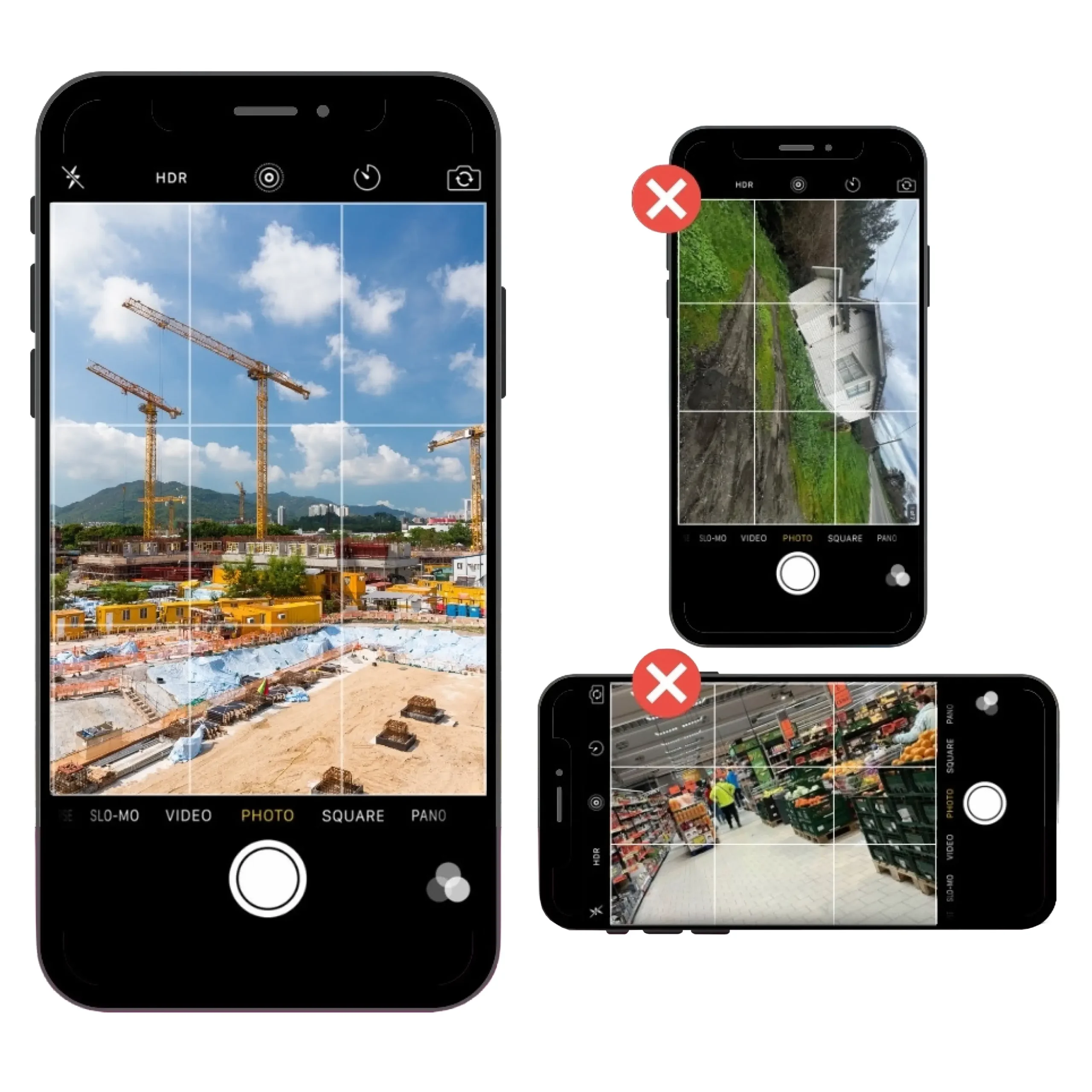
2. Make Sure Every Photo Has a Clear Subject
- A completed installation
- Your team at work on a project
- A specific piece of equipment

3. Simplify the Composition
Busy backgrounds compete with your subject and make images harder to read. Before pressing the shutter, take five seconds to look at the whole frame.
- Move clutter out of shot
- Adjust your angle
- Reposition the subject so there is less visual noise around it
The cleaner the composition, the more professional the result. This is one of the easiest improvements to make, and it costs nothing.

4. Get the Lighting Right
Lighting is the single biggest variable in phone photography. Natural light is almost always the best option. Avoid shooting directly into a light source, which creates harsh glare or washes out your subject, and be cautious of overhead fluorescent lighting indoors, which can cast unflattering colour tones.
If the lighting in a location is not working, change your position rather than forcing the shot. Move the subject, change your angle, or wait for better conditions. A well-lit average photo will outperform a poorly lit technically correct one every time.
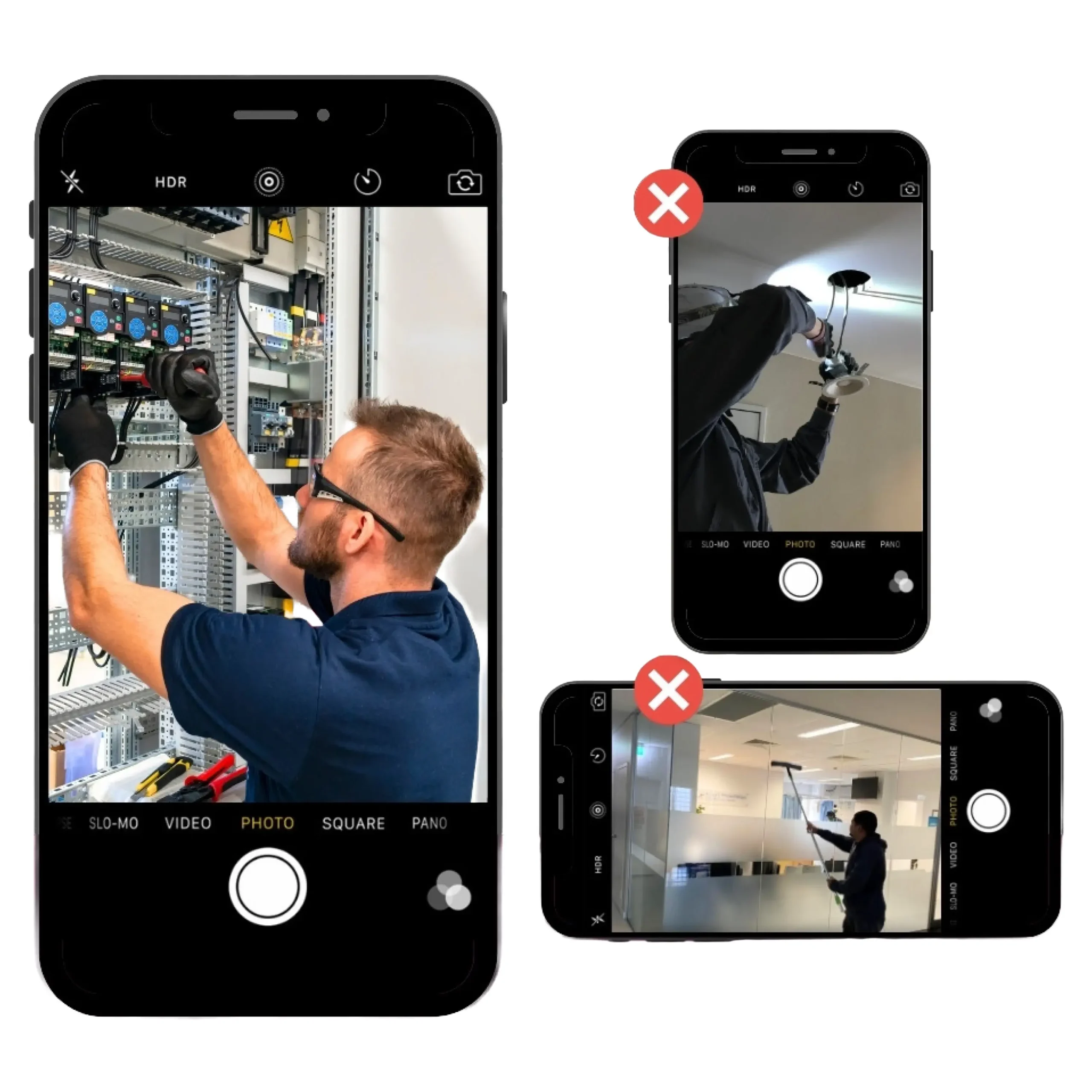
5. Use the Rule of Thirds
Placing your subject dead-centre in the frame is the default instinct, but it often produces flat-looking images. The rule of thirds suggests positioning your subject along one of the grid lines instead, roughly one-third from the left or right of the frame.
Enable the grid overlay in your camera settings if it is not already visible. The adjustment is subtle but it makes images feel more considered and naturally draws the viewer’s eye to the right place.

Your Team Can do this Consistently
Frequently Asked Questions
Do I need a professional photographer to get good business photos?
No. A modern smartphone, used consistently with a few basic principles in place, will produce images that genuinely represent your work. The key is knowing what to look for before you press the shutter, not the equipment you are using.
What is the most important thing to get right when taking photos on-site?
Lighting has the biggest impact on the quality of a phone photo. Natural light is almost always the best option. If the lighting in a location is not working, change your position or angle rather than forcing the shot.
What is the rule of thirds and do I need to know it?
The rule of thirds means positioning your subject roughly one-third from the edge of the frame rather than dead-centre. It makes images feel more considered and draws the viewer’s eye naturally. Enable the grid overlay in your camera settings and it becomes second nature quickly.
Why should my business use real photos instead of stock imagery?
Authentic photos of your projects, your team, and your work are more persuasive to potential clients than anything from a stock library. For businesses in construction, industrial, and trade sectors in particular, real project photography is one of the strongest credibility signals you can put in front of a procurement manager or prospective client.