
Five Settings That Lock AI Out of Your Website
By Gianna Stead | SEO Manager, Maisona | 4 min read
If your website runs through Cloudflare, one setting in it decides whether AI crawlers can read your pages. Plenty of Australian businesses switched that setting on during 2025 without thinking hard about it. From 15 September 2026, the same setting also turns away Googlebot.
We’ve spent this year auditing websites for civil and industrial clients across Australia and New Zealand. Crawler access came up more often than any content problem we found. Pages with decent structure and steady rankings weren’t showing up in AI answers, and the writing wasn’t the reason. A bot got stopped before it reached the page.
What the Cloudflare switch does
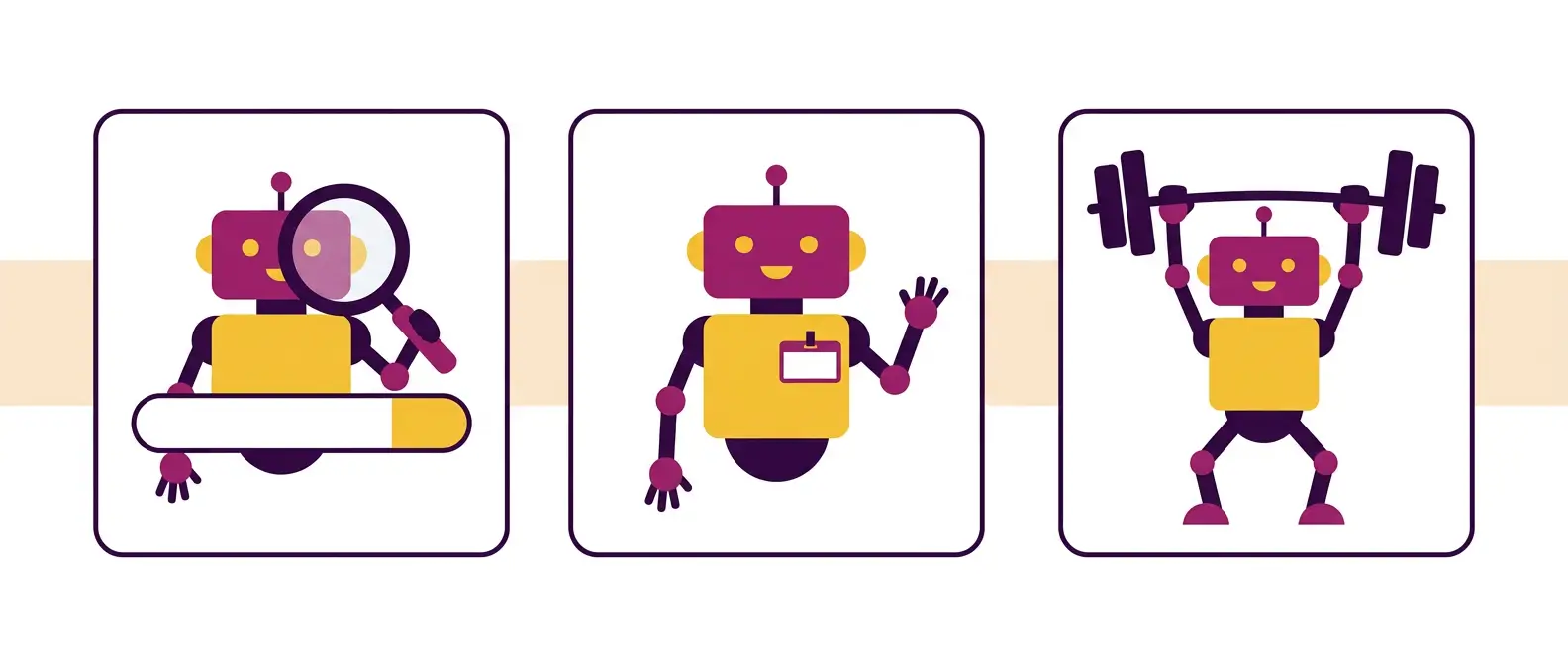
Cloudflare handles traffic for roughly a fifth of the web, including a lot of Australian business websites. In July it retired the old block-AI-bots switch and replaced it with three controls:
- Search: bots that index your content so an AI product can answer questions about you later, usually with a link back
- Agent: bots that fetch your page live while someone waits, like an assistant checking a fact mid-conversation
- Training: bots that pull your content into a model
Separating them was overdue. Whether you want your content left out of model training has nothing to do with whether you want to appear in AI answers, and the old switch made you decide both at once.
From 15 September, new defaults apply to new domains, to new websites added under existing accounts, and to Free tier accounts nobody has touched. Launch or migrate next month and your settings differ from the ones you had last year.
Why the old setting now blocks Google
Cloudflare now judges a crawler on every job it does and applies the strictest rule that fits. Googlebot crawls for search and for training. Applebot and BingBot do the same.
Block Training and you block all three. Cloudflare says so directly, and that’s true for anyone still running the legacy block-AI-bots setting.
That setting was popular for a reason. Through late 2025 a lot of businesses turned it on after reading that AI companies trained on their content for free. That’s a fair thing to be annoyed about. Traffic didn’t move, so nobody opened it again. From September it reaches past the training crawlers and takes out the one your Google rankings run on.
Open your Cloudflare Security settings and look before the deadline. It takes a minute, and you can change it back.
Google-Extended: the robots.txt line that backfires
The second thing we kept finding was a robots.txt file with Google-Extended disallowed, added by someone trying to stay out of AI Overviews.
It doesn’t. Google-Extended covers training and grounding in Google’s other AI products. Google’s documentation says it has no effect on how you appear in Search. AI Overviews and AI Mode read from the standard search index, which Googlebot builds.
No setting keeps you out of AI Overviews while leaving your rankings alone. The controls that limit what Google shows are nosnippet, data-nosnippet, max-snippet and noindex, and each one cuts your snippet everywhere in Search.
So the disallow achieves the reverse of its purpose. Your content’s still feeding AI Overviews, and Gemini’s stopped learning that your business exists. Supply something niche across three states and you want a model naming you when a buyer asks who stocks it.
What you can skip
Google’s guidance on AI features is blunt about the requirements. Your page needs to appear in Search with a snippet, and meet the usual technical requirements. Nothing further.
Google also says you don’t need new machine-readable files, AI text files or special markup to show up in AI Overviews or AI Mode. Three clients have forwarded us quotes for llms.txt implementation this year. The file costs nothing to publish and some non-Google assistants may read it. Paying an agency four figures for it is a different proposition.
What Google does list is ordinary. Allow crawling in robots.txt and in your CDN or hosting. Keep internal links working. Keep important content in text form. The CDN line’s worth a second look, because it’s the only item there that doesn’t live on your website.
The five-minute check
Run these on every domain you own, including the ones you’d forgotten about:
- Cloudflare AI crawler controls:- is Search, Agent or Training blocked, and is the legacy toggle still on
- robots.txt:- any Google-Extended or AI user-agent disallow added in the last two years, and do you still want it
- noindex:- anything left behind on a live page after a build or a staging push
- nosnippet and max-snippet:- these remove you from AI Overviews, and from your ordinary snippet with it
- WAF and rate limiting:- strict rules throttle real crawlers without recording it anywhere as a block
One more thing to check, though it isn’t a setting. Capability statements are PDFs. Product ranges are image tables. The page itself carries three lines of marketing copy, so a crawler reads it and learns almost nothing about what you do. That pattern catches industrial websites harder than any of the five above.

Why check this before touching content
A thin page still gets indexed, and you can rewrite it in an afternoon. A blocked page returns nothing, and it doesn’t announce itself. No report has a line for a crawler turned away at the CDN, so the symptom reads like weak content, or like the wider decline in clicks to AI Overviews. Most of the cases we found this year carried one of those two diagnoses before we saw them.
One qualifier. If your commercial value is data you built yourself, you’ve got a real reason to keep training crawlers out, and you should. Making that call deliberately is fine. Most of the websites we audited this year had it made for them by a checkbox from 2025.

FAQs
Will blocking AI crawlers hurt my Google rankings?
It can, from 15 September 2026. Cloudflare now judges multi-purpose crawlers on all of their behaviours, and the most restrictive rule applies. Googlebot crawls for both search and training, so a Training block catches it.
Does disallowing Google-Extended keep me out of AI Overviews?
No. Google-Extended controls training and grounding in Google’s separate AI products. AI Overviews and AI Mode pull from the standard search index, which Googlebot builds.
Do I need an llms.txt file to appear in AI answers?
Not for Google’s AI features. Google states you don’t need to create new machine readable files or AI text files to appear in AI Overviews or AI Mode.
What exactly changes on 15 September 2026?
New Cloudflare defaults apply to new domains, new sites under existing accounts, and untouched Free tier accounts. Training and Agent crawlers are blocked by default on pages displaying ads, while Search stays allowed.
How do I check whether my site is blocking AI crawlers?
Check five things: your Cloudflare AI crawler controls, robots.txt disallow rules, noindex tags on live pages, nosnippet and max-snippet directives, and your WAF and rate limiting rules. Four of the five live outside your CMS.